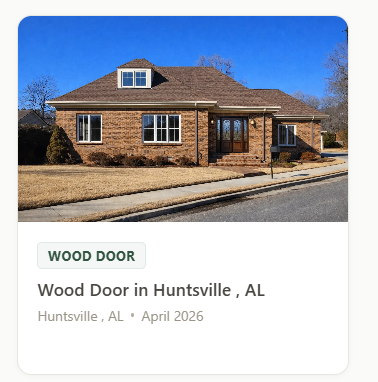
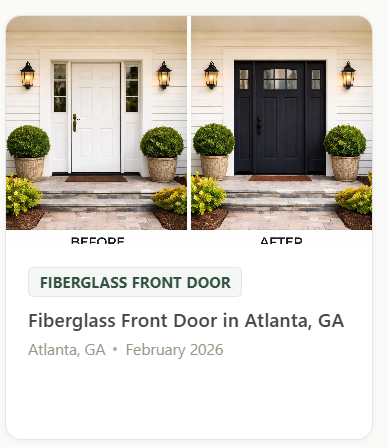
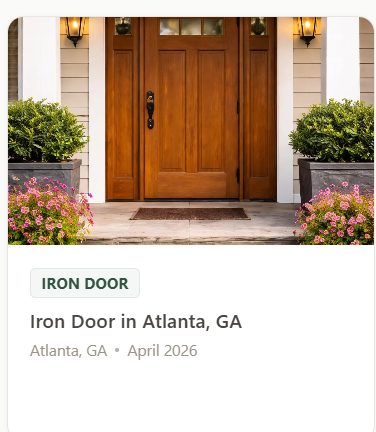
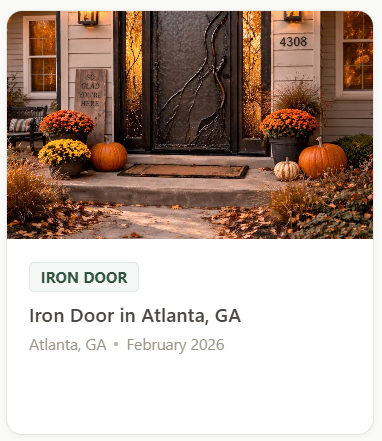
Your crew enters the address and takes photos. ProjectCheckin builds a location-specific, indexed job page automatically — your photos, service type, and business info ready for local searchers.
What is a Local Job Page? A public webpage created automatically when you publish a completed job. Includes your photos, service type, address, and contact info — formatted with schema markup so Google can index and understand it.
projectcheckin.com/jobs/wood-door-huntsville-al
← Back to Portfolio
Wood Door
Wood Door in Huntsville, AL
📍 Huntsville, AL 35801 · April 2026
Installed a custom double-entry door for the Jones family. Rich hand-stained hardwood pair with insulated decorative glass featuring intricate wrought iron scrollwork — selected for both curb appeal and energy efficiency.
YOUR COMPANY NAME
Free Estimate
Visit Website
More Projects by YOUR COMPANY NAME
How it works
One step from your crew. Everything else is automatic.
1
Take Photos
Your crew opens the app at the job site, enters the address, and takes photos. Under two minutes. That's all they do — nothing to fill out after the job is done.
2
We Build the Page
ProjectCheckin formats the job page automatically: location-specific URL, title, and meta description; schema markup (LocalBusiness, GeoCoordinates, ImageObject); sitemap inclusion; and your business contact info with a call-to-action.
3
Live on Google
A public, indexed page goes live with your photos, service type, location, and business name. Backlinks to your website accumulate. Your portfolio grows with every publish.
What you get
What Local Job Pages actually do for your business.
Before calling, most prospects do a quick search. A Local Job Page gives them something professional to land on — real photos, your business name, your location, and a direct way to contact you. This works on day one, before you've published dozens of jobs. A service business with no website still looks credible because Google returns a well-structured page from a real job.
When you're quoting a job, showing real work from the customer's own neighborhood is your strongest close. Every Local Job Page has a permanent URL you can text or email to a prospect mid-conversation. "Here's what we installed two miles from you last month" is a closer. No agency writes this content — your crew generates it every time they finish a job.
Each Local Job Page includes JSON-LD schema markup — LocalBusiness, Service, ImageObject, and GeoCoordinates — embedded automatically on every publish. This tells Google exactly who you are, what you did, where you did it, and what the result looked like. Most service business websites have no schema markup at all. Structured data is one of the few ranking factors Google explicitly confirms in its own documentation.
A page at /jobs/nashville-tn/iron-door-a1b2c3 with a title of "Iron Door in Nashville, TN" targets a real, specific location from its very structure. The city and state appear in the URL slug, the title tag, the meta description, and the on-page content — exactly the signals Google uses to determine relevance for a local search. Every page is purpose-built for the location it represents, not a generic service page with a city name swapped in.
ProjectCheckin's sitemap updates in real time as jobs are published. When Google's crawler next visits the sitemap, your new job page is already on the list with a crawl-priority signal. There's nothing to submit, configure, or manage. Publishing a job triggers the entire chain — page created, sitemap updated, Google notified.
Each Local Job Page doesn't disappear when the job is done — it stays indexed and continues to accumulate value. A competitor with a 5-page website can't replicate this without hiring an agency to produce content or building the same tool themselves. The library you build over 12–18 months becomes hard to replicate. A service business that starts publishing today builds a lead that competitors can't quickly close.
No single job page captures thousands of searches. But across 200–300 published pages, you're simultaneously targeting hundreds of specific location, service, and business-name combinations. This is programmatic SEO — the same model Angi, Thumbtack, and Zillow used to build search authority over time. Individual pages may see modest traffic; the portfolio as a whole builds steadily with every job published.
Each Local Job Page includes a link to your business website. As projectcheckin.com grows in domain authority — through more published pages, more inbound links, and more traffic — the value of those outbound links increases. Publishing 10 jobs means 10 pages with a link to your site from an increasingly credible source. The platform's authority and your website's authority grow together.
Ready to start building your local search presence?
Start FreeNo credit card required · Free plan available
88%
of people who search locally for a service business engage within 24 hours.
Think with Google
81%
of consumers read reviews before contacting a local business for the first time.
BrightLocal, 2024
Common questions
How do Local Job Pages work?
A Local Job Page is a public webpage created automatically when you publish a completed job on ProjectCheckin. It includes your photos, service type, exact address, and business contact info — structured with schema markup so Google can index and understand each job.
When your team arrives, they open the app, select the job type, enter the address, and take photos. The whole process takes under two minutes. GPS and timestamp are captured automatically — there's nothing to fill in after the job is done.
Every photo is saved to the job record in your dashboard, organized by job. You can tag them as before or after photos, add notes, and publish the completed job as a page that customers and prospects can find.
Yes. Every check-in creates a timestamped, GPS-tagged record of the work — photos, notes, job address, and date are all saved and accessible from your dashboard at any time.
Yes. Each Local Job Page is indexed by Google with location-specific metadata — city, state, and service type in the URL, title, and schema markup. Individual pages rank for specific long-tail searches. Across hundreds of published jobs, your business builds a local search presence that compounds over time.
As many as the job requires. Monthly photo limits apply by plan: Free includes 50 photos/month, Pro includes 500, Elite 2,000, and Titan is unlimited. Photos are automatically resized so storage is never an issue.
No. ProjectCheckin creates a public job page and a portfolio page for your business automatically — no website or technical setup required. Every completed job gets a shareable link, and your portfolio builds itself as jobs are published.